

 Upwork
 Fiverr
 People Per
Hour
People Per
Hour
Guide to API Keys – How to Use API Keys in your Shopify Store
 By Manoj Kandwal
|
03-Apr-2025
By Manoj Kandwal
|
03-Apr-2025
The API is the spine of modern digital systems. It connects different applications and allows them to share data and functions.
API keys are essential in maintaining the security and functionality of such systems. It acts as a digital pass where only authorized users and applications are granted access to use APIs.
This article is going to provide you with an idea of what API keys are and how they could be used in your Shopify store.
What Are API Keys?
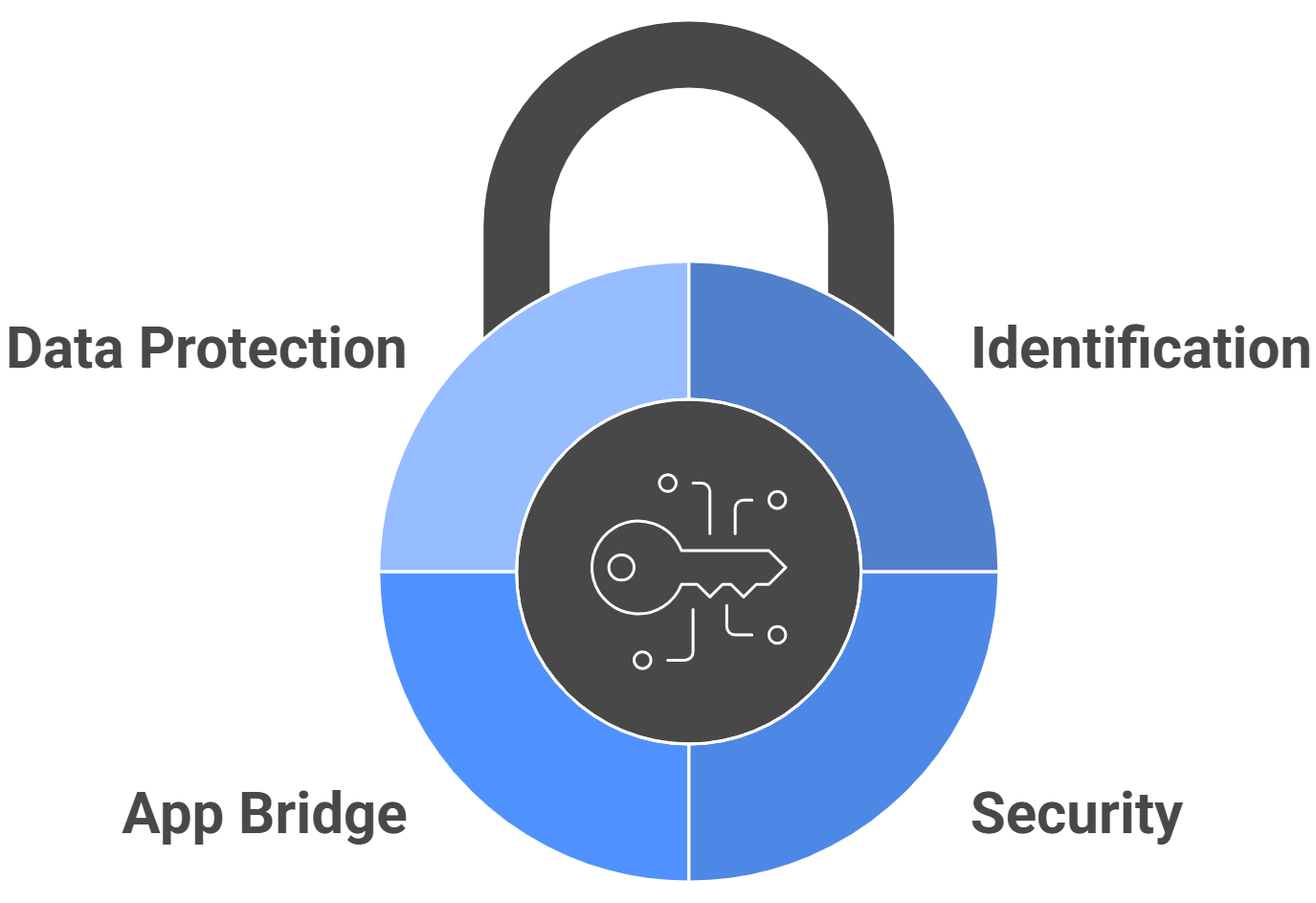
API keys are unique codes assigned by an API service. These are used to identify and for security purposes. In other words, imagine them as a password which makes apps safe for talking to one another. Here’s an example:
- Spotify uses API keys to let apps play songs from its library.
- They embed maps into a website.
- They never expose data on a particular website without exposure to Google.
- It acts as an app bridge.
- An API key prevents unauthorized access.
How API Keys Work?
API keys work in a few steps. Let’s break them down.
- Generation: An API provider generates a unique key once you sign up. It connects your account.
- Authentication: When you use the key, the API server checks whether it is valid. It is like showing your ID at a checkpoint.
- Access Levels: Keys can have different permissions. Some allow you to view data, while others allow more actions.
- Rate Limiting: APIs limit how often you can call them, so the system is not overwhelmed.
Real-life cases:
YouTube API keys are utilized for video embeds on any website. They all have differing permissions.Google’s APIs, for example, use rate limiting to avoid abuses and fair use.
API Keys Types
There are many different forms of API keys, which all depend on their usage and security requirements. Let’s cover the two types in greater detail:
-
Public API Keys
Public API keys are used for less sensitive use cases. They are commonly used in features that do not need much security.
- Use Cases: Public API keys are suited for viewing public information, such as embedding widgets or displaying content. For example, a public API key can be used on a Shopify website to show trending products in lists.
- Security Considerations: They are more accessible but riskier. If someone finds your public key, it can be misused. Always combine them with rate limiting and monitoring to reduce risk.
-
Private API Keys
Private API keys provide higher security because they are used for operations involving sensitive data.
- Use Cases: Ideal for managing payments, accessing customer information, or updating inventory. For example, when a Shopify store integrates with a payment gateway like Stripe, it relies on a private API key.
- Improved Security: Private keys often include extra protection layers such as secret tokens and IP whitelisting, preventing unauthorized access to store and customer data.
Common Usage of API Keys
API keys have become a vital part of any Shopify store owner. They are required for integrating various apps and services. Some of the most common uses are listed below.
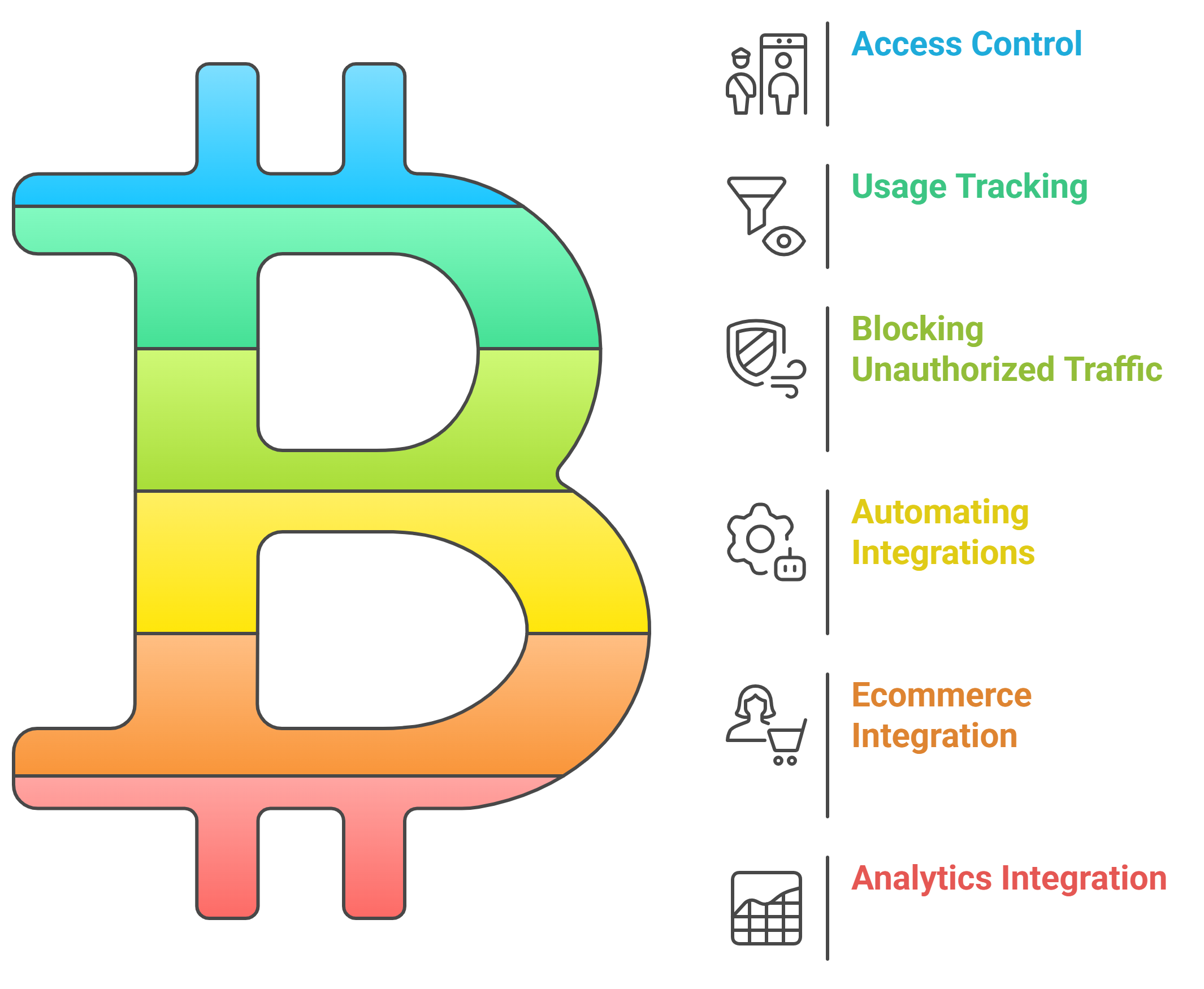
- Access Control
API keys are gatekeepers. They ensure that only approved apps or users can access your APIs. For instance, your store’s API key might allow a third-party analytics tool to fetch sales data but prevent it from altering customer details. - Usage Tracking
API keys track how services are used. One can monitor the API requests and see which feature is the most popular. For instance, it could be the case that the API requests were for fetching product details, which indicates that customers appreciate detailed descriptions of products. - Blocking Unauthorized Traffic
API keys protect your store from unwanted traffic. You can identify and block someone trying to misuse your APIs. For example, a spam bot trying to overload your site will be stopped by your API’s security features. - Automating Integrations
One of the most compelling reasons for an API key is to enable automation. With private API keys, you can connect your Shopify shop to email marketing services, a stock management solution, or a client support application. This results in saving many hours and maximizing efficiency.
Real-Life Cases
- Ecommerce:Connect third-party payment solutions such as Stripe or PayPal, using private keys. These payment solutions ensure complete security.
- Analytics:Use tools like Google Analytics to gather customer behavior insights. API keys allow the seamless data transfer between your store and analytics platforms.
- Customer Engagement:Sync customer data with email marketing tools like Mailchimp. API keys enable personalized campaigns and automated workflows.
- Inventory Management:Connect with third-party systems to keep stock levels updated across multiple platforms. API keys make real-time synchronization possible.
Security Challenges and Risks
API keys are necessary, but they also pose risks. Here’s what you need to know:
Potential Threats
- Key Leakage: Keys can be exposed in URLs, apps, or public code repositories.
- Unauthorized Use: If stolen, keys can give hackers access to your data.
- Data Breaches: Poor API management can lead to sensitive information leakage.
Real-Life Examples
- Facebook API Breach: Poor security led to unauthorized access, affecting millions of users.
- Twitter API Exploit: Public code exposed API keys, which attackers used to misuse the APIs.
This knowledge will help keep your Shopify store safe from similar issues.
API Key Management Best Practices
You should keep your API keys safe. Here are the steps to follow for effective management:
- Store Keys Securely: Use environment variables or encrypted storage to keep your keys hidden. Do not hard-code them into your app.
- Limit Permissions: Grant only the minimum access required to complete a task. For example, a payment API key does not need access to customer data.
- Rotate Keys: Create new keys periodically. This helps prevent unauthorized access if a key is leaked.
- Monitor Usage Patterns: Track API activity to detect abnormal behavior. An unexpected increase in API calls may indicate misuse.
- Implement Rate Limiting: Set limits on how often APIs can be called to prevent overuse and keep systems stable.
- Use API Key Management Tools: Tools like AWS Secrets Manager or Postman help manage keys securely and support monitoring and automation.
- Educate Your Team: Ensure everyone handling API keys understands their importance. Share best practices and highlight risks.
Advanced Security Features
Sometimes, an API key is not enough. Here are other ways to secure your APIs :
- OAuth Tokens: These are safer than API keys and are used for apps like Google or Facebook.
- IP Whitelisting: Grants access to a specific set of IP addresses, providing an added layer of security.
- Encryption: Encrypt data sent through APIs to prevent hackers from intercepting it.
- Multi-Factor Authentication (MFA): Adding MFA ensures that only verified users can access your API keys. It includes an extra verification step, such as a one-time password (OTP) or biometric scan.
- Audit Logs: Monitor every action performed with an API key. Audit logs can indicate unauthorized access or abnormal usage patterns.
Shopify Real-Life API Key Usage
API keys can transform the way your Shopify store functions. Let’s consider a few examples:
- Inventory Management: Connect APIs with inventory management software to keep track of stock quantities on all channels. An API key can even hook your store into a warehouse management system.
- Marketing Campaigns: Automate email marketing campaigns or analyze customer behavior. Tools like Mailchimp use API keys to access customer data and send targeted emails at the right time.
- Payment Gateways: Integrate payment options such as Stripe or PayPal securely using API keys. These keys ensure safe transactions and real-time updates.
- Analytics Tools: Connect your store to Google Analytics via an API key. This provides insights into user behavior, helping you adapt and improve sales strategies.
Other Features to Stand Out
To make it easy to handle API keys, consider the following:
- Interactive Examples: Widgets or demos containing API keys to show how they work. For instance, use an embedded Spotify playlist or Google Maps for demonstration purposes.
- Step-by-Step Tutorial: Walk through how to create, validate, and manage API keys. Include screenshots from tools like Postman to make it clearer.
- Checklist or Infographic: Include a downloadable checklist of best practices so users can remember the main points.
Tools That Make API Key Management Easier
- Postman: Postman is a fantastic tool for testing and managing APIs. It helps you create keys, test endpoints, and monitor usage.
- AWS Secrets Manager: API keys are safely managed and stored by AWS Secrets Manager. It is a good solution for businesses working with sensitive data.
- RapidAPI: RapidAPI offers an API marketplace, making API key management easier and helping you discover new tools for your Shopify store.
- Apigee: Apigee, by Google, is a full-fledged API management and security platform with tools for analytics, security, and rate limiting.
More E-commerce Use Cases
API keys can further enhance more sophisticated e-commerce functionality. Here’s how:
- Customer Personalization: APIs can analyze customer preferences and make product recommendations. Integration with AI-based tools using API keys makes shopping more personalized.
- Multi-Channel Integration: With API keys, Shopify stores can connect with marketplaces like Amazon or social media platforms. This ensures uniform inventory and pricing across all channels.
- Loyalty Programs: APIs can drive loyalty reward systems by tracking customer purchases. API keys protect against unauthorized communications between your store and the rewards system.
- Real-Time Shipping Updates: API keys enable integration with shipping carriers. Customers can track orders in real-time directly from your store without leaving it.
Advanced Insights and Tips
-
API Key Integration with AI Tools: To enhance customer support and store management, it’s important to integrate AI tools with API keys.
For instance, you could allow a ChatGPT chatbot to access some API keys when responding to direct queries from clients in real-time.
Also Read: Improve Customer Interactions with AI Chatbots - Adding Scalability through the Use of Keys: Using APIs and integrating multiple features with a single key helps users scale and offer more value efficiently.
- Access to Support: Connect to developer communities or forums, like Shopify Partners. These forums provide valuable tips and advice for solving API integration challenges.
Conclusion
With an API key, your Shopify store is on and in use safely, hence the actual operational and securing applications. Information security is well kept as APIs interlink up apps, operate on auto-mode and guard sensitive details. Appropriate and further advanced protection measures should enhance maximum advantages drawn when implementing API keys but not threaten one’s own Shopify shop.
Effective management of API keys does not only add functionality to your store but inspires confidence in your customers since their data will be dealt with safely. Tools like Postman, AWS Secrets Manager, and Apigee make it easier to handle API integrations, and other advanced security measures include OAuth tokens, MFA, and IP whitelisting.
In short, this means keeping current, using the right tools, and monitoring the usage of APIs over time to unlock the complete potential for APIs and help set your Shopify store up for long-term success within the competitive arena of e-commerce. Start integrating and securing those API keys today to transform that store into something more dynamic, and customer-centric.
I bring a wealth of knowledge and experience to WillShall Consulting with two decades of expertise in Website Design, Development, and Digital Marketing, My journey has been marked by a passion for creating innovative web solutions that not only meet but exceed client expectations. As an avid analyst, I dedicate myself to understanding each customer’s unique needs, ensuring that our web solutions are not just functional but exceptional.

Looking to boost your online presence and reach more customers in your local area?
Explore Local SEO ServiceKnow your website’s SEO Score.
Get a customize SEO Audit report & improve your website statistics.