



 Upwork
 Fiverr
 People Per
Hour
People Per
Hour
Does Shopify Show Add to Carts
 By Manoj Kandwal
|
30-Dec-2025
By Manoj Kandwal
|
30-Dec-2025
Introduction: Understanding Add to Cart Tracking in Shopify
If you run a Shopify store, understanding customer behavior is key to increasing sales. One of the most important actions customers take before purchasing is clicking “Add to Cart.” This leads many store owners to ask an important question: Does Shopify show Add to Cart?
Add to Cart tracking helps you understand what products customers like, where they lose interest, and how close they are to making a purchase. These actions show strong buying intent and give valuable insight into store performance.
A skilled Shopify Expert can help you read this data correctly and use it to improve conversions and revenue. By analyzing these interactions, businesses can also better predict trends and adjust their marketing strategies proactively.
What “Add to Cart” tracking means for online stores
Add to Cart tracking records when a visitor adds a product to their cart. It shows deeper interest than just browsing and helps store owners measure how effective their product pages are. Knowing which products attract interest allows you to focus your efforts where they matter most. Over time, this data can reveal which product categories or campaigns resonate best with your audience.
Why do Add to Cart actions show strong buying intent
Customers who add items to their cart are more likely to buy. This makes Add to Cart data extremely useful for understanding demand and planning remarketing campaigns. It’s one of the strongest signals that a visitor is considering a purchase, and analyzing patterns here can also help identify potential pricing or UX issues early.
How a Shopify expert helps businesses use this data to grow sales
A Shopify expert uses Add to Cart data to improve page design, pricing, site speed, and checkout flow, turning interest into completed purchases. When businesses hire Shopify expert support, they also gain access to deeper insights that help identify patterns and opportunities often missed in standard analytics. With professional guidance, even small data-driven changes can significantly boost conversion rates over time.
Hire Shopify expert for data-driven optimization
What Is Add to Cart Data and Why It Matters
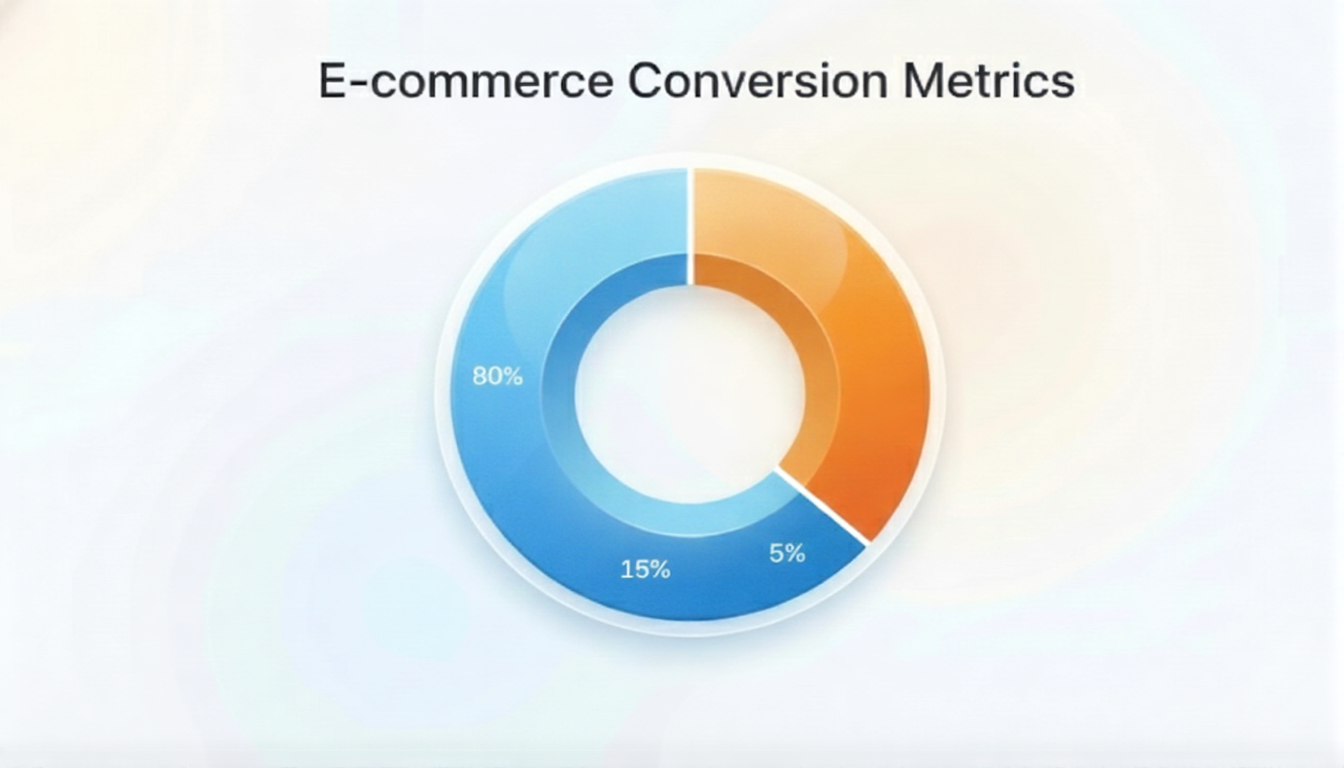
Add to Cart data shows how customers interact with your products before checkout. It helps identify strengths, weaknesses, and opportunities for growth. Understanding this data allows you to make informed decisions instead of guessing what your customers want. Without it, businesses may waste time and money on strategies that don’t match actual customer behavior.
-
Simple explanation of Add to Cart events
An Add to Cart event happens when a shopper clicks the Add to Cart button. This action is recorded as a key engagement signal in analytics tools. It gives you a clear idea of which products spark interest and potential future purchases. Tracking these events over time can highlight seasonal trends and product popularity changes.
-
Difference between product views, Add to Cart, and purchases
Each step provides valuable insight into the customer journey and helps identify where users drop off.
Understanding the differences ensures that you target the right interventions to increase sales.- Product View: Customer is exploring
- Add to Cart: Customer is interested
- Purchase: Customer completes the journey
-
How Add to Cart behavior predicts conversion performance
If many users add products but don’t buy, it may indicate issues with pricing, shipping costs, checkout steps, or trust factors. Studying this behavior allows you to fix weak points and optimize your store to turn more visitors into paying customers. These insights are also critical for retargeting campaigns, ensuring you focus efforts on high-potential prospects.
Does Shopify Show Add to Carts by Default?
Yes, Shopify does track Add to Cart actions, but only at a basic level. While the platform gives you some visibility, it doesn’t reveal all the details needed for advanced analysis. Businesses looking for deeper insights will need customization to truly understand customer behavior.
-
What Shopify tracks automatically
Shopify tracks Add to Cart events and displays limited data in its analytics dashboard. You can see how often items are added to carts, but this summary often misses the bigger picture. Basic tracking is enough for small stores, but high-traffic or scaling stores require more detailed insights.
-
Add to Cart visibility inside Shopify Admin
You can see overall trends, but the data is often summarized and lacks deep detail. Shopify’s default view doesn’t show product-specific trends or the journey each user takes, which can limit actionable insights. Understanding these limitations helps you know when it’s time for expert intervention.
-
Reporting limitations without customization
Shopify does not always show exact Add to Cart counts per product, user journey tracking, or detailed funnel behavior. Without customization, some important insights remain hidden, making it harder to optimize campaigns and improve conversions. Custom reporting can provide clarity and uncover opportunities otherwise missed.
-
Why a Shopify developer may be required for deeper insights
A Shopify Developer can set up advanced tracking using GA4, Meta Pixel, or custom scripts to unlock deeper and more accurate insights. This allows you to understand which products, pages, and campaigns perform best, giving you a clear roadmap to growth. Expert developers also ensure tracking integrates smoothly with other marketing tools for a holistic view.
Where to Find Add to Cart Data in Shopify Analytics
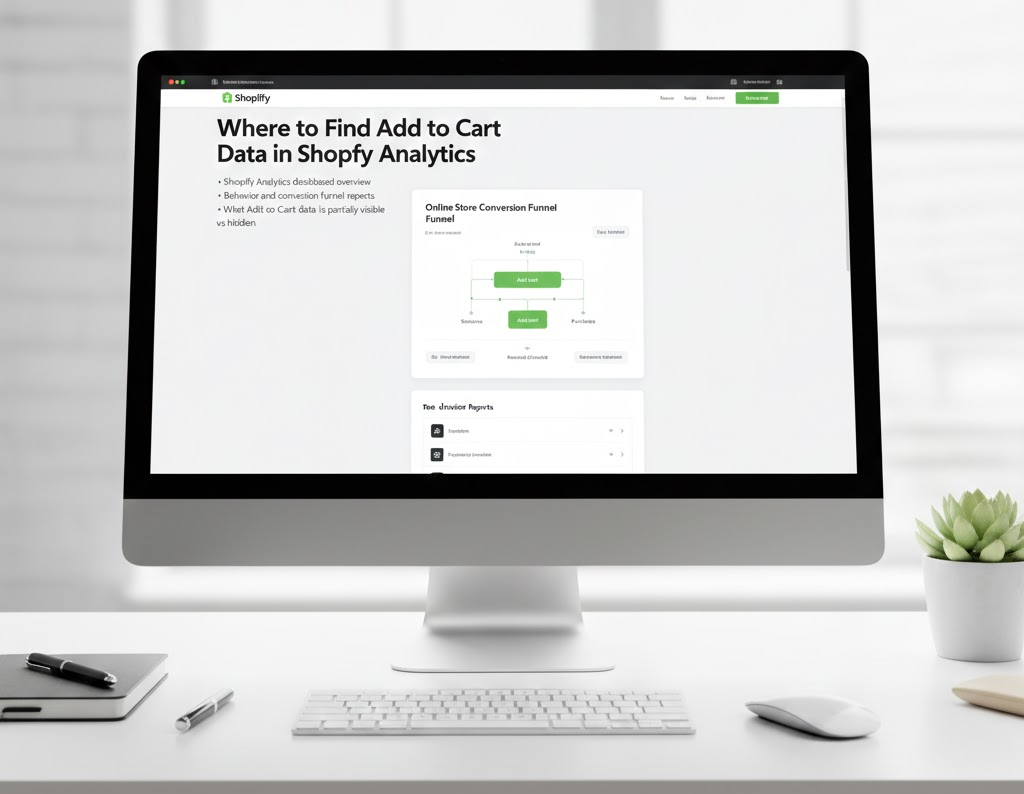
Shopify Analytics provides a basic overview, but it may not tell the full story. Understanding where and how Add to Cart data is displayed is key to making informed decisions. A clear grasp of these reports is the first step toward data-driven growth.
-
Shopify Analytics dashboard overview
Add to Cart data appears inside the Analytics section under behavior and conversion metrics. Here, you can track basic trends and overall store performance. Monitoring these trends regularly helps you identify patterns and adjust strategies proactively.
-
Behavior and conversion funnel reports
These reports show how customers move from viewing products to checkout. They help identify drop-off points and areas where the user experience can be improved. Funnel analysis can also guide product page and checkout optimizations.
-
Understanding session-based tracking
Shopify tracks sessions rather than individual users, which can limit advanced analysis. While it gives you an idea of traffic behavior, detailed insights may require additional setup. Knowing this limitation allows you to plan for deeper analytics when needed.
-
What Add to Cart data is partially visible vs hidden
Basic trends are visible, but detailed product-level and campaign-level data often remain hidden. Knowing the limitations helps you decide when to implement custom tracking for more actionable insights. Visibility into hidden data often translates into better marketing ROI.
Technical Performance Metrics Used in Add to Cart Tracking
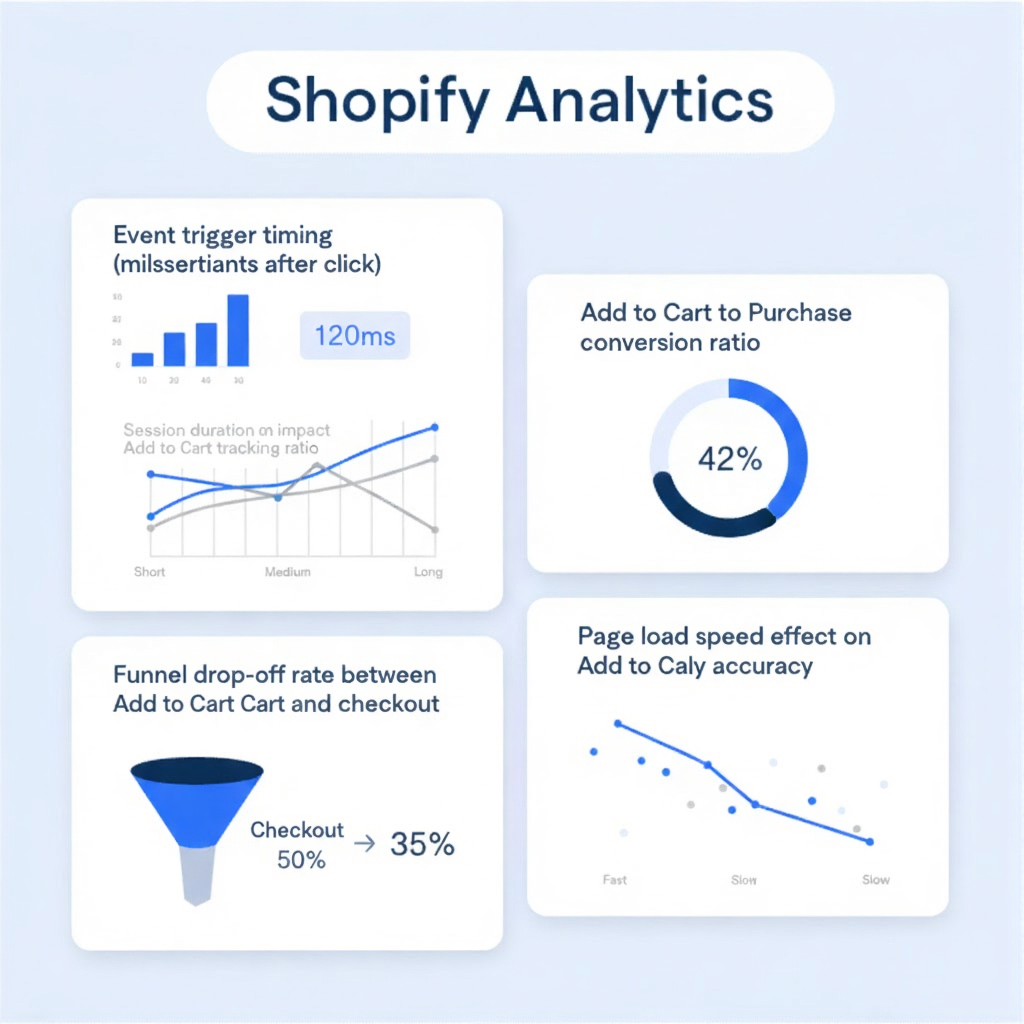
Understanding Add to Cart data is closely tied to store performance and technical setup. Optimized stores generally perform better across all metrics. Technical benchmarks allow you to compare performance and identify areas of improvement.
-
Add to Cart Technical Benchmarks for Shopify Stores
The following numbers give a benchmark to compare your store against similar Shopify businesses.
Knowing them helps identify whether your store is underperforming.
Tracking changes over time ensures your store stays competitive.- Average Add to Cart rate: 8%–12%
- Healthy checkout completion rate: 40%–60%
-
Typical drop-off percentage after Add to Cart
Many Shopify stores lose more than half of cart users before checkout.
Identifying why these users abandon carts helps improve the flow and boost sales.
Small improvements at this stage can yield significant revenue growth. -
Checkout completion rate from Add to Cart
Optimized stores convert more cart users by improving speed,
simplifying forms, and offering multiple payment options.
This ensures fewer users leave before completing their purchase.
Measuring completion rates can highlight bottlenecks that need fixing. -
Impact of slow themes on Add to Cart abandonment
Slow-loading themes frustrate customers and increase abandonment.
Speed optimization can directly influence the number of users completing purchases.
Investing in a fast, responsive theme is often one of the easiest ways to improve conversions. -
Why optimized stores outperform unoptimized stores
Fast load times, clean design, and clear CTAs lead to higher Add to Cart success. A well-optimized store not only keeps visitors longer but also converts more effectively. Optimization also improves user trust and brand perception.
Shopify vs Other Platforms: Add to Cart Tracking Comparison
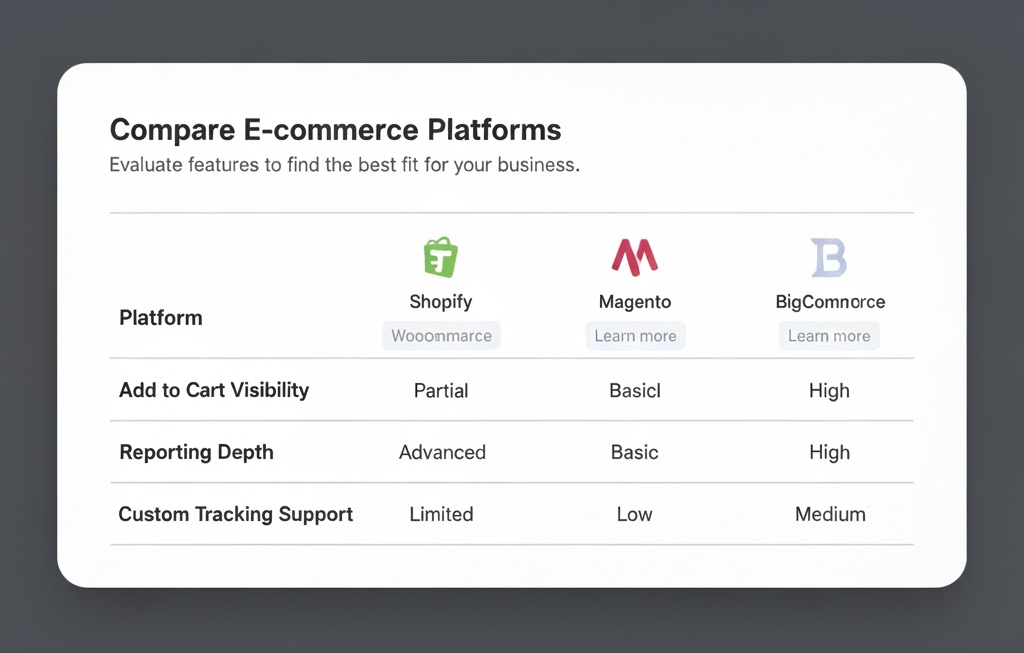
Shopify offers reliable basic tracking, but advanced insights require expert setup. Other platforms may provide more customization, but Shopify shines when paired with proper analytics configuration. It balances ease of use with scalability, making it suitable for growing businesses.
How Add to Cart Data Improves Conversion Performance
Using Add to Cart data correctly allows you to make smarter decisions and improve conversions. Insights from this data can guide design, marketing, and pricing strategies effectively.
-
Identifying high-interest products
Products with high Add to Cart rates deserve more promotion and attention.Focusing on these products can maximize your revenue. Tracking these trends over time also highlights which products maintain consistent demand.
-
Reducing checkout friction
Fixing issues such as shipping costs, payment options, or lengthy forms improves the checkout experience. This increases the likelihood of completing purchases. Streamlining the checkout often results in immediate conversion improvements.
-
Improving product page layout
Clear images, detailed descriptions, reviews, and transparent pricing encourage more Add to Cart clicks. Good design makes the shopping experience smoother and more persuasive. Even small tweaks, like adding trust badges, can boost confidence.
-
Strengthening retargeting campaigns
Add to Cart users are ideal for remarketing ads. Targeting them with the right message can bring customers back and increase conversions. Using accurate data ensures your campaigns focus on users with real purchase intent.
-
Why data-driven decisions increase revenue
Making decisions based on real data rather than guesses helps reduce mistakes. Using Add to Cart insights ensures your marketing, product, and design strategies align with actual customer behavior. Data-driven decisions also make it easier to plan for seasonal campaigns or product launches.
Common Technical Issues That Prevent Add to Cart Tracking
Several technical problems can prevent accurate Add to Cart tracking. Common issues include app conflicts, broken theme scripts, pixel setup errors, cache and speed problems, and outdated analytics configurations. Resolving these issues requires careful analysis and sometimes expert help. Fixing these ensures reliable data for smarter decisions. Tracking errors can hide critical insights, and addressing them often leads to measurable sales improvements.
Client Testimonials – Real Results With WillShall Consulting
Many Shopify businesses struggle with unclear analytics until they work with experts. The following real experiences show how accurate tracking leads to measurable growth. Proper insights empower businesses to make smarter decisions and increase profitability.
“The ease of communication and their determination to achieve our goals were stellar. Our Shopify store was built on the e-commerce platform, and we are 100% satisfied. Since 2016, we’ve worked with WillShall through many customizations and evolutions.”
— Amaury de Baynast, Founder, Happy Detox Tea
“WillShall were very responsive and addressed all concerns in a very prompt manner. Pricing was competitive, communication was above par, and we would use WillShall again.”
— Vladan Neziri, Director
“WillShall’s WordPress and Shopify services are outstanding! The team delivered a sleek, user-friendly website tailored to our needs with excellent communication and attention to detail.”
— Michael G., CEO
“Sachin did an outstanding job building our Shopify website. His expertise and attention to detail resulted in a stunning and highly functional e-commerce platform.”
— Tom P., Founder
Hire Shopify expert for data-driven optimization
When You Should Hire a Shopify Expert or Shopify Developer
Expert setup saves time, money, and costly mistakes. Partnering with an expert ensures that tracking, analytics, and reporting align with your business goals.
- Running paid ad
- Scaling traffic
- Using custom themes
- Managing advanced apps
- Facing unclear analytics
Summing Up: Get Clear Shopify Insights With WillShall Consulting
Shopify does show Add to Cart data, but default analytics is often not enough. Important insights remain hidden without an expert setup.
WillShall Consulting helps businesses implement accurate tracking, fix data gaps, and scale Shopify stores with confidence. With the right data, growth becomes predictable, not accidental.
By understanding exactly how your customers interact with products, you can make smarter marketing decisions, improve conversions, and boost revenue over time.
Partnering with the right experts ensures your store reaches its full potential without guessing or wasted effort. This also gives you a competitive edge and helps you plan future campaigns more effectively.
I bring a wealth of knowledge and experience to WillShall Consulting with two decades of expertise in Website Design, Development, and Digital Marketing, My journey has been marked by a passion for creating innovative web solutions that not only meet but exceed client expectations. As an avid analyst, I dedicate myself to understanding each customer’s unique needs, ensuring that our web solutions are not just functional but exceptional.
FAQs: Shopify Add to Cart Tracking Explained

Looking to boost your online presence and reach more customers in your local area?
Explore Local SEO ServiceKnow your website’s SEO Score.
Get a customize SEO Audit report & improve your website statistics.

 Call Us
 +91 97797
76116 (Sales)
+91 97797
76116 (Sales) Email Us
 Video Call

 Our Locations
